
Participate · Praxis Live
Praxis Live: get the whole room in on it.
Hear the whole room. Your sponsor can be reading what it said the same day.
Praxis Live is a tool for running a workshop or training session. Your slides and your activities sit on one screen, and the room answers on their own phones, with no app to download. There are more than fifty kinds of activity: polls, word clouds, Q and A, ranking, small-group conversations, reflection and games. When it’s over, Praxis drafts a report from what the room said, and you decide what your sponsor sees.
No card. When the trial ends, it simply stops.
This project
Name as many ways to recognize someone as you can
Join at
CODE
34 on the board. You hit 30
with 40 seconds to spare.
34 / 30
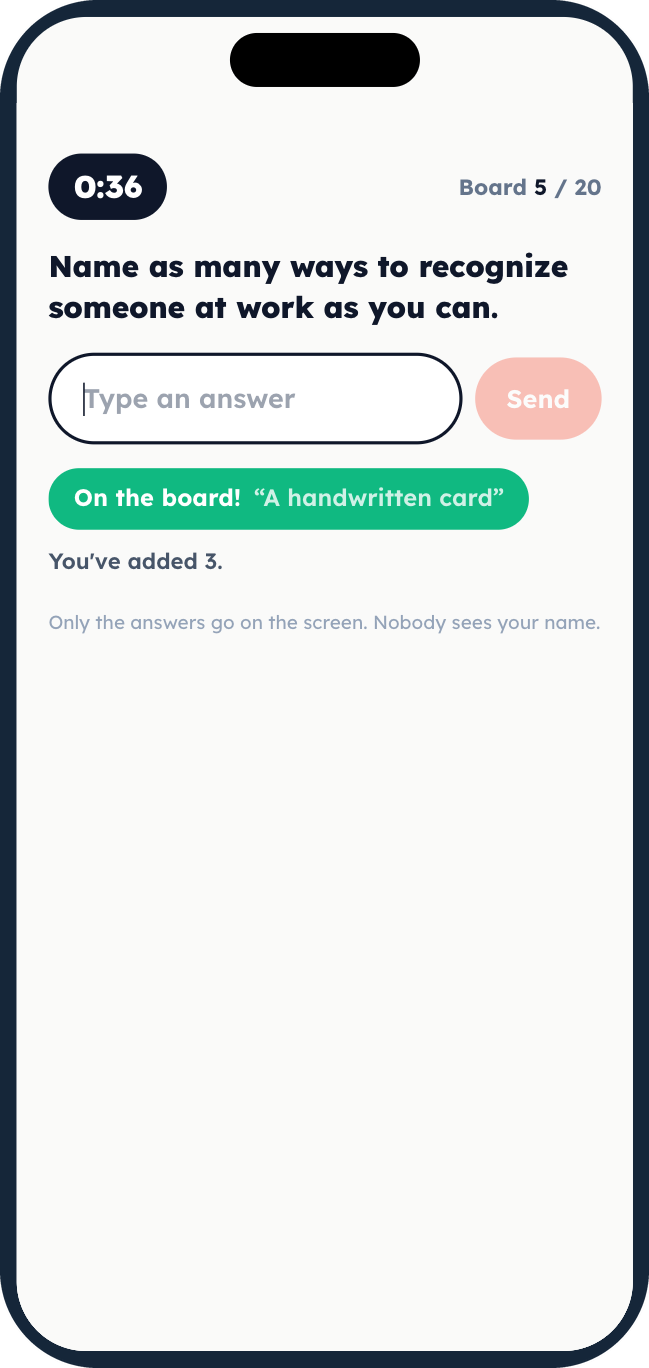
Fill the Board. The whole room against the clock, on one board. Sample answers.
If you’ve used a polling tool
The room part will feel familiar. What happens next won’t.
If you’ve used Mentimeter, Slido or Poll Everywhere, the room part will feel familiar: a question on the big screen, answers from phones. Praxis Live is built around what happens next. People get paired up by how they answered, and told why. A divided room gets called divided. And the same activities can go into a Praxis Journey and keep working after the event.
Comparing tools? See Praxis Live vs Mentimeter, AhaSlides or Kahoot.
Rating scale · 24 answers
Split room“Our team is ready for the change that’s coming.”
The average is 3.1, a calm number that describes almost nobody in the room. Half said 1 and half said 5, and that is the finding.
More than fifty ways to get a room going
Keep them on their phones to keep them off their phones.
When the phone is how people answer, play and talk, it stops being the distraction, and there’s a lot less quiet email-checking going on under the table.
Scroll through and press Watch on any one to see it run in under a minute. Then play most of them yourself with a pretend room. No sign-in.
See all 50+ activities
- Ask the room
- Word cloud, Picture cloud, Open text, What, So What, Now What, Multiple choice, Percentage split, This or That, Five Finger Shoot, Emoji Pulse, Capture, Ranked order, Rating scale, Continuum set, 2x2 grid, Q and A, Card sorter, Wheel of questions, Most Helpful, Nominal Group Technique, Dot Vote, Flashcards, Said, Meant, Heard, Before and After, Interactive Video
- Get them talking
- Applause, Find Your Match, Commitment Match, Small Talks, Tabletop, Even Split, Conversation Roulette, Common Ground, What I Noticed
- Think it through
- Guided prep, Journal, Group Reflections
- Energizers
- Closest Without Going Over, Two Truths, Lightning Tap, Tug of War, Beat the Last Room, Survey Says, Line Up, Fill the Board, Count to Ten, Pixel Reveal, Sketch It, One in Common, Hot Seat
- Carry the point
- Slide, Carousel, Card deck, Break, Activity timer, Reveal, Scan to join, Take it with you, Video
- Team building
- Classroom 404, Story Relay, Grid Logic, The Bigger Picture, Hot Seat
Methods you already trust
The techniques you already run, with the phones doing the counting.
Silent writing before discussion, dot voting, a three-round debrief, the same checklist before and after. Nothing new to learn. The room answers on their phones and the result is on the wall while it still matters.
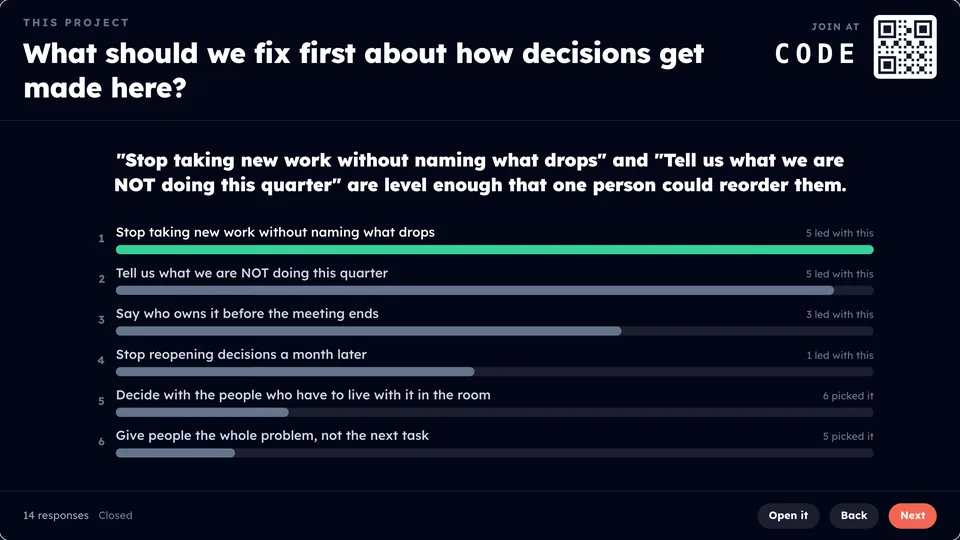
Nominal Group Technique
Everybody writes alone before anybody speaks.
Having people write ideas alone before pooling them produces more ideas than open discussion. That is why the nominal group technique exists.Van de Ven and Delbecq (1974), Academy of Management Journal 17(4), 605-621.
Play it yourself ›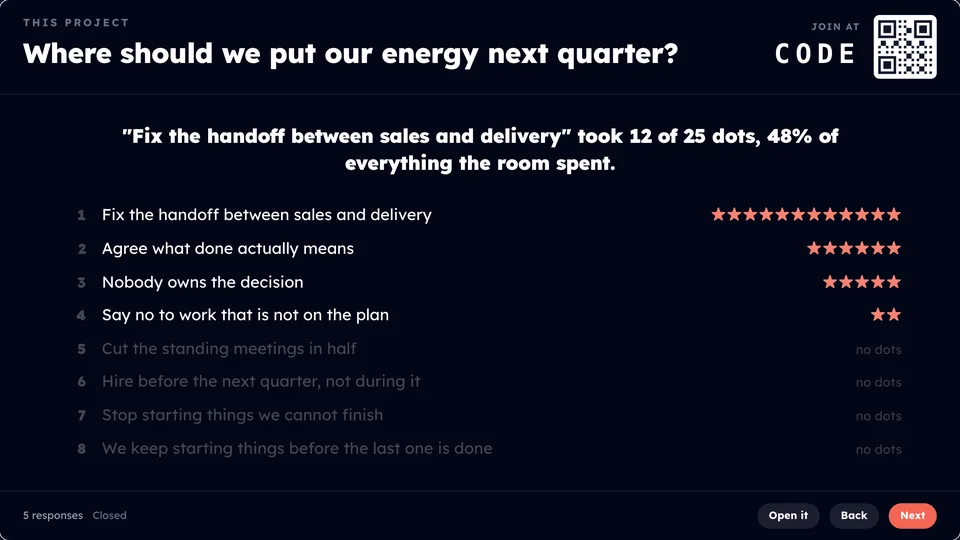
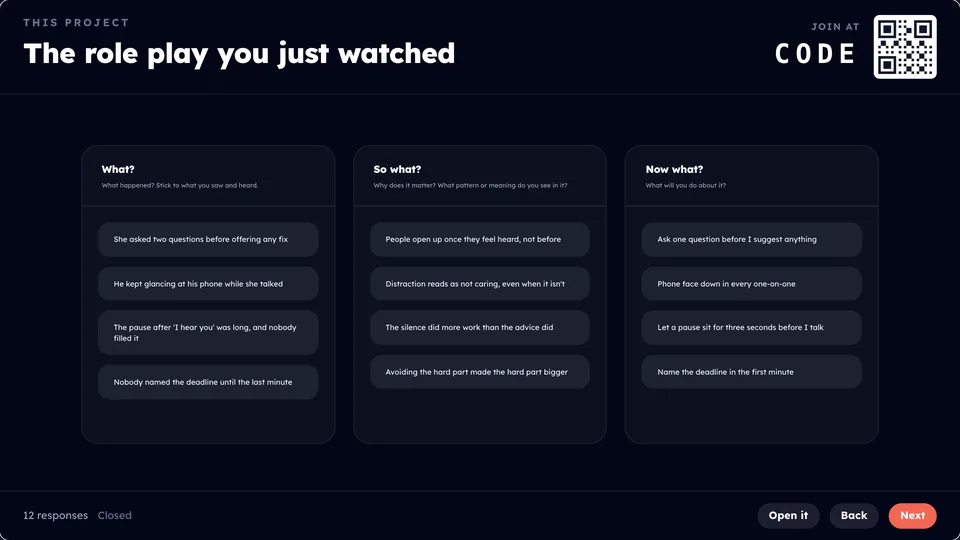
What, So What, Now What
A debrief in three rounds: what they saw, what it means, and what they will do.
Play it yourself ›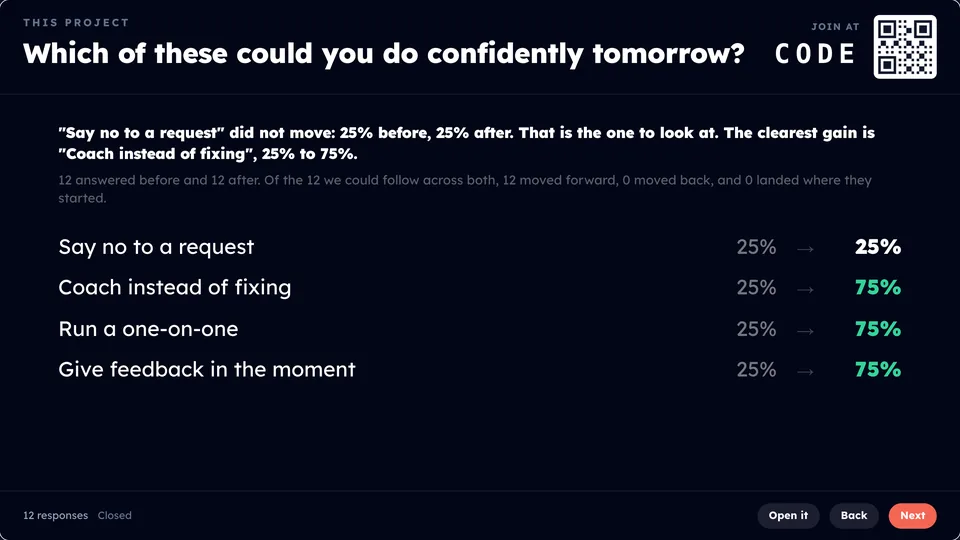
Before and After
The same checklist at the start of a program and again at the end, so you see what moved.
Play it yourself ›What did we get for this?
The report your sponsor reads, and the page each person keeps.
Every answer is saved as it comes in. When the session ends, Praxis drafts a report from what the room said: what to work on next at the top, then the themes and the quotes underneath, no names attached. AI helps draft it, and you approve it before it’s shared. Read it, change what you want, then share one link. Your sponsor can be reading it the same afternoon.
See a full sample report ›“Put together from the room’s answers, then reviewed and approved by the facilitator before it was shared.”The line at the bottom of every report
Leading Through Change · Day 1
SampleWhat to work on next
The room is ready to name hard things, and stuck on where to start. Pick one priority for the next thirty days and make it the first agenda item every week.
What the room kept coming back to
- Saying the hard thing early14
- Too many priorities at once11
- Feedback only flows down8
- Meetings without decisions5
“We agree in the room and then nobody owns it on Monday.”
Quotes are shown with no names.
Take it with you
Each person leaves with their own page of the day, and you leave with a report to share. Their page shows what they wrote next to where the room landed, with a Remind me in a week button that puts it on their calendar.
Where AI helps
It does the first pass. You make the call.
Built-in AI takes the slow parts: picking activities, typing up flip charts, sorting a wall of answers, drafting the recap and the report. Each one stops where a person should decide.

Meet Parker, the AI built into Praxis. That’s Parker in our logo.
Before
Ask Parker
Tell Parker what you want the room to do, in your own words, and it suggests the activities that fit. Pick one and Build it for me drafts it.
You decide. Nothing is added until you pick it and press Save.
Make it a Praxis Live slide
Turn any slide from your deck into one you can edit, in one click. Parker reads it and rebuilds it.
You decide. It opens in the editor for you to add. The original is hidden, never deleted.
Connect your AI
Already use Claude or ChatGPT? Connect it, hand it your deck or notes, and it builds the session in Praxis Live.
You decide. Nobody sees it until you present it, and changes to a session you already have come as proposals you apply or discard.
In the room
Capture
Tables photograph their flip charts, and AI types them up for you, with every unsure word marked.
You decide. The typing lands on your dashboard first. It reaches the wall only when you press What they wrote.
Suggest themes
On Nominal Group Technique, Tabletop and open answers, Parker groups a wall of loose answers into suggested themes, live.
You decide. You keep each one or break it apart, with the room watching. Stacks you made are never touched.
After
Sum up the day
One press drafts a recap: the numbers, counted for you, three ahas, three things to take forward, and notes just for you.
You decide. You edit it. Only Put it up shows the room its half, and your notes never reach the wall.
Draft it for me
Drafts the sponsor report's short version and what to work on next from the room's answers and your notes.
You decide. Nothing is shared until you approve it.
Plan the journey
Drafts two or three weeks of Monday, Wednesday and Friday follow-up, echoing what the room actually wrote.
You decide. You edit every slide and place them in a Praxis journey yourself. Praxis Journeys starts with a call.
Built for the person at the front
Your deck, your look, and a plan B.
Your deck stays your deck. The room just gets something to do between the slides, and you see what they think.
Bring in a deck
Your slides, with the room between them.
Bring in the slides you made in PowerPoint, Google Slides or Keynote. They stay sharp on a big projector, and the activities go between them, right where they belong. Need to fix a slide? Built-in AI turns it into one you can edit.
Rehearsal
Run it before anyone sees it.
Rehearse the whole session on your own screen, with a phone beside the wall so you can answer the way the room will. Practice answers never reach the real room.
Show your logo
Your logo on the wall.
Add your logo once in your Brand kit, and every new project starts wearing it. It sits in the same corner of the projector on every screen, poll screens included.
Backup PowerPoint
A plan B for when the internet is gone.
Download the whole session as a PowerPoint that needs no internet. Every activity becomes something the room does with hands, pens or voices: a poll becomes a show of hands.
Where it sits · Prime, Participate, Practice
Praxis Live is Participate: while they’re in the room.
Every program has a before, a during and an after. Praxis Live is the during: the room. Praxis Journeys covers the before and the after.
01
Prime
Before they arrive
Praxis Journeys
02
Participate
While they're in the room
Praxis Live
03
Practice
After they leave
Praxis Journeys
- Each works on its own. Start with one room, and add the before and the after when you're ready.
- Put an activity from the room into a journey and it keeps collecting answers for weeks after.
- Praxis drafts the follow-up drops from what your room actually said. You edit them and put them in the journey.
Questions people ask
Before you try it.
- Do people need to download an app?
- No. They join in the browser on a phone or a computer: scan a QR code, type a short code, or open it in a tab.
- Can I use my own slides?
- Yes. Bring in the deck you already use, and add activities between the slides.
- What happens to the answers?
- They're saved as they come in. You can read them after, and Praxis drafts a report you review, change and approve before you share one link.
- Does Praxis Live use AI?
- Yes, for first drafts. The built-in AI assistant suggests activities and drafts the one you pick, and suggests themes for a wall of answers. AI also types up photographed flip charts and drafts the end-of-day recap, the sponsor report and the weeks after. You decide what stays: suggested themes stay suggestions until you keep them, and nothing reaches your sponsor until you approve it.
- Are names attached?
- Not unless you choose to. Answers come in without names by default, and you decide whether to ask for a first name.
- What if the internet goes down?
- You can download a Backup PowerPoint of the session. It needs no internet, and every activity becomes something the room does out loud or on paper.
- How much does it cost?
- Try it free for 14 days. No card, and when the trial ends it simply stops.
- Is this PraxisLIVE?
- A note on the name. Praxis is a popular word. We're not the Praxis teacher tests from ETS, and Praxis Live isn't PraxisLIVE, the open-source creative coding software. We're the workshop and follow-through people.
Run Praxis Live with your own group.
Build a session with your slides and any of these, and run it for real. Free for 14 days, and we never ask for a card. When the trial ends, it simply stops.
No card. Want to talk about a whole program first? Book a demo.